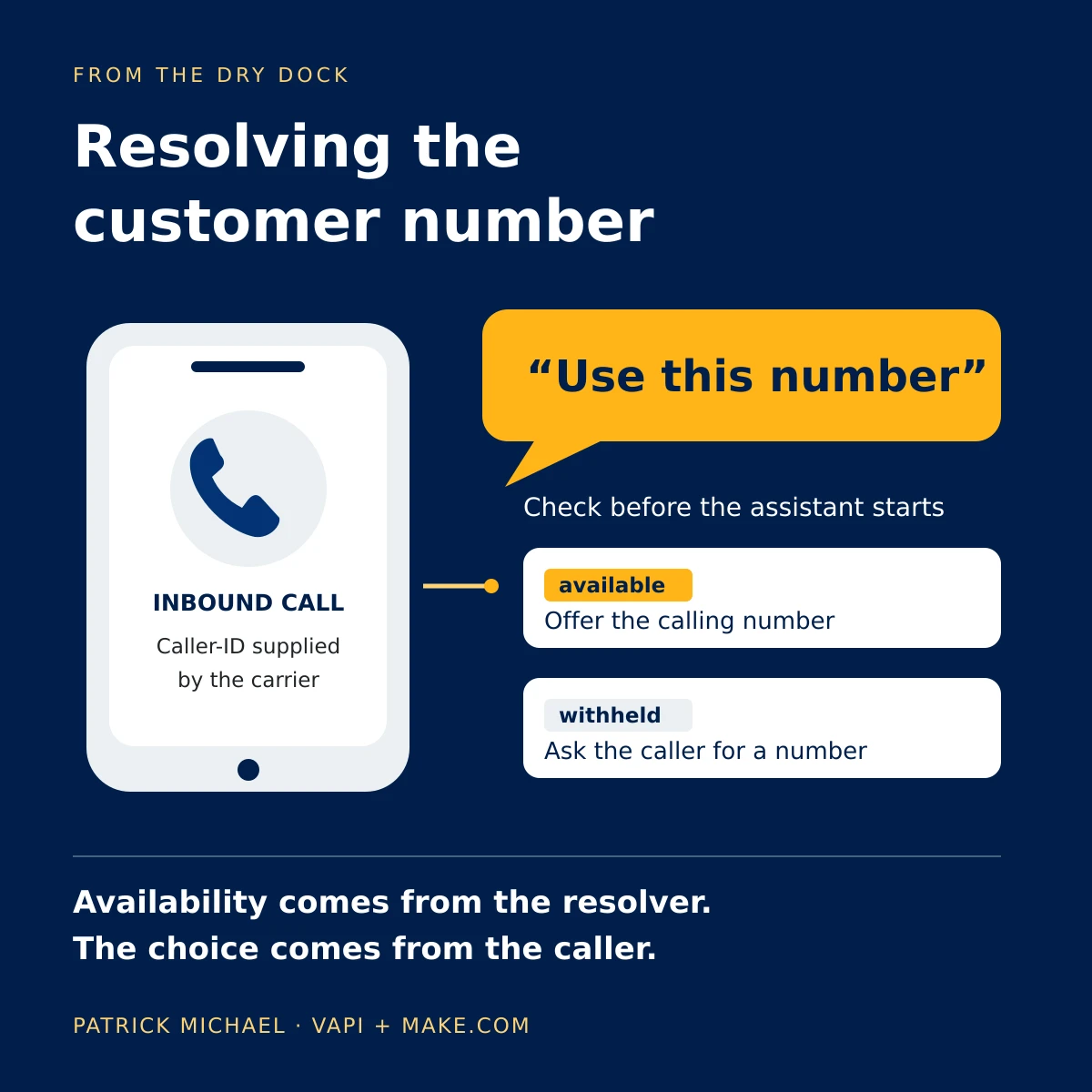

TL;DR: Miles, the Vapi voice agent on my site, confirms the caller's name and callback number by voice, then calls a client-side tool that moves the caller's open tab to a pre-filled Contact form while the call stays connected. My site code, not the model, tells Miles whether the page opened. The caller types the details voice gets wrong, such as an email address, and makes the optional marketing choice on the page.

This is for builders running web calls on Vapi, the voice AI platform Miles runs on, or any voice widget in a browser, who want callers to finish exact details on a page instead of on the line. It does not cover phone-line callers yet; I explain why near the end.
What does the caller hear and see during the handoff?
The caller hears the voice agent ask for a callback number and confirm it, then sees their own tab switch to the Contact page with their name and number already filled in, while the call stays connected.
In the demo, Colin starts a browser call from the home page and asks for a callback. Browser calls carry no caller ID, so Miles treats the number as withheld.
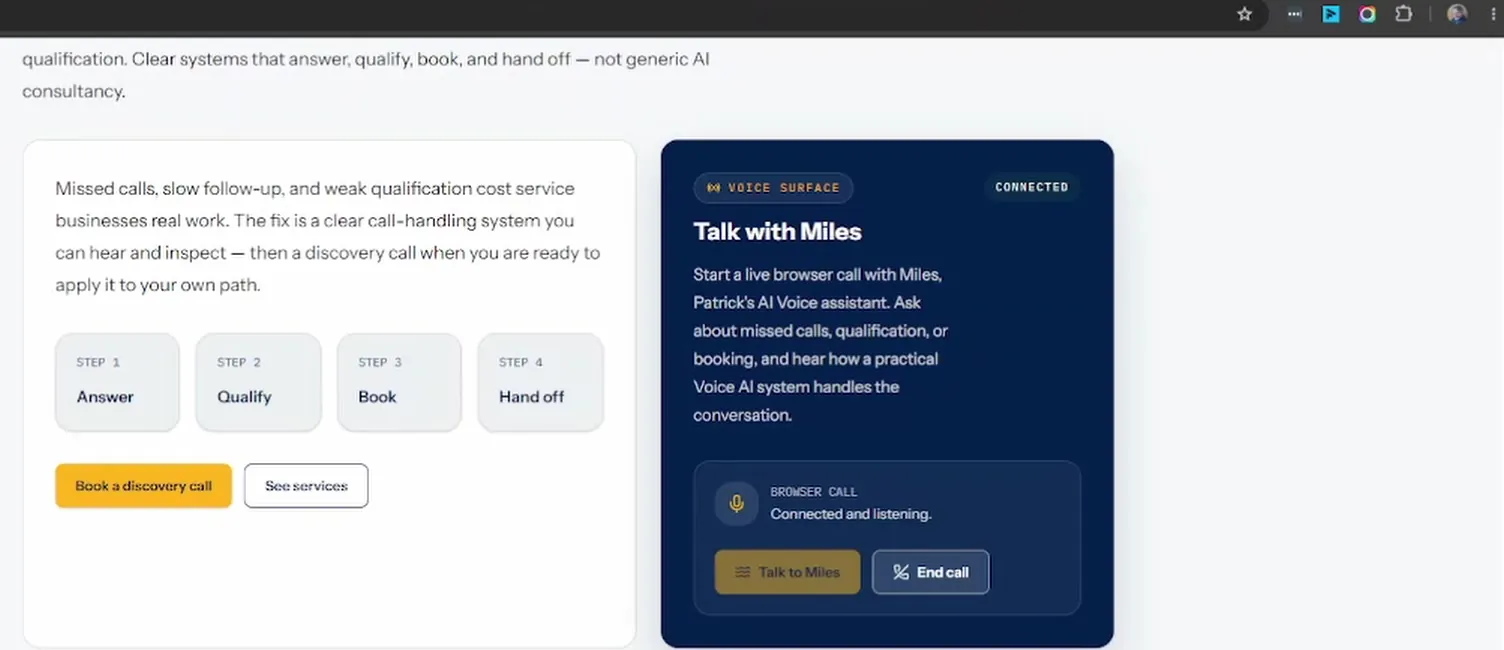
The call starts here, inside the page, which is what makes the later handoff possible.
Miles: "Hello, you're speaking with Patrick Michael's virtual assistant. How can I help you today?"
Colin: "Hi, please ask Patrick to call me. It is Colin Smythe."
Miles: "Thank you, Colin. The number you are calling from is withheld. What number would you like us to call you back on?"
Colin: "011 114 7287."
Miles: "Thank you, Colin. Is that the full number?"
Colin: "Yes, it is."
Miles: "I have opened the Contact page. If you would like to add more information, please use the form. You can also opt in there to receive practical information from Patrick Michael about Voice AI services and workflow reviews."
By the time Miles says "I have opened the Contact page", Colin's tab is already on the Contact page, with his name and number in the form.
Why hand the rest of the call to a form?
A form handles the three things voice does badly: exact values such as email addresses, a marketing choice that stays separate from the callback, and privacy wording the caller needs to read before agreeing to anything.
Exact values. Voice is good at a name and a phone number. It is poor at exact values full of dots and symbols. VoiceCodeBench tested 19 speech-to-text systems on recovering exact values from recorded speech. For email addresses, the median system got 63.1% exactly right and the best got 80.0%. One wrong character makes an email address useless, so I let the caller type it.
Marketing consent. On the call, Colin asked for a callback. Agreeing to marketing email is a different decision, and I want it to be a separate, optional act the caller can see, not a question buried in the callback.
Privacy text. For consent to mean anything, the caller has to understand what they are agreeing to, and reading the full privacy wording out on a call would turn a short callback into a lecture. On the page it is one line under the button.
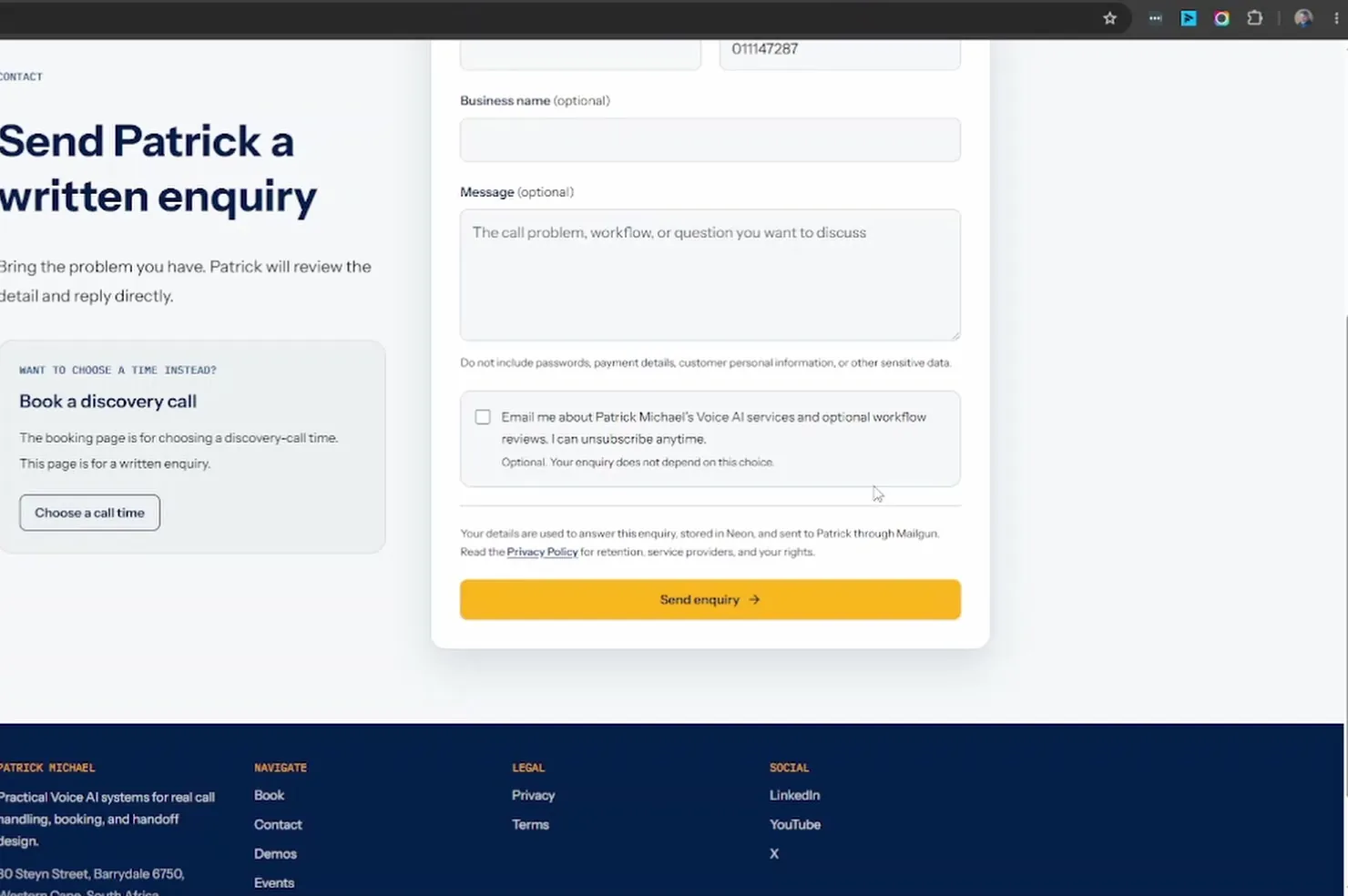
The notice under the Send button names where the enquiry is stored, how it reaches me, and links the Privacy Policy, so Miles never has to say any of it.
How does the voice agent decide when to open the Contact page?
The prompt allows navigation on exactly two triggers. The one in this demo is the second: detail collection has finished and the caller has confirmed the callback number.
[Website Navigation Procedure]
1. Navigate only when the current call path has already established one of these two triggers:
  - The Caller explicitly asks for contact information, the Contact page, or the Contact form.
  - Detail collection is complete and has handed off to this procedure after both names and the confirmed callback number were captured.
  - Interest in services is not navigation intent by itself.
2. Call pm_navigate_to_page with protocolVersion "1" and destinationKey "site.contact".
  - Invoke the Runtime Tool without speaking first.
  - For completed detail collection, call without asking the Caller for permission.
  - For completed detail collection, include fullName as the captured First Name and Last Name, and phone as the exact callback number whose full readback the Caller confirmed.
# trimmed
The line most builders will miss is "Interest in services is not navigation intent by itself." Without it, the agent opens the Contact page the moment a caller sounds keen.
The withheld wording comes from the site, not from the model guessing. When the Miles page starts a browser call, it passes a template variable that tells the prompt there is no caller ID:
const MILES_BROWSER_CALL_ASSISTANT_OVERRIDES = {
  variableValues: {
    callerNumberStatus: "WITHHELD",
  },
} as const;
The prompt checks {{callerNumberStatus}} first and asks for a callback number instead of offering to use one it cannot see.
What does the Vapi navigation tool definition look like?
pm_navigate_to_page is a Vapi function tool with no server URL. Vapi sends the call to the browser, and my site code handles it.
{
  "type": "function",
  "function": {
    "name": "pm_navigate_to_page",
    "description": "Navigate the caller's current Patrick Michael website tab to the explicitly selected registered destination.",
    "parameters": {
      "type": "object",
      "properties": {
        "protocolVersion": { "type": "string", "enum": ["1"] },
        "destinationKey": { "type": "string", "enum": ["site.contact"] },
        "fullName": {
          "type": "string",
          "description": "Confirmed caller first and last name for optional Contact form prefill. Omit unless confirmed.",
          "minLength": 1,
          "maxLength": 120
        },
        "phone": {
          "type": "string",
          "description": "Confirmed callback number for optional Contact form prefill. Omit unless the exact full number was read back and confirmed by the caller.",
          "minLength": 1,
          "maxLength": 32
        }
      },
      "required": ["protocolVersion", "destinationKey"],
      "additionalProperties": false
    }
  },
  "async": true
  // trimmed: request-start message, id, orgId, timestamps
}
Two choices matter here. destinationKey is an enum with one value, so Miles cannot invent a destination. fullName and phone are optional, and their descriptions tell the model to leave them out unless confirmed, so an unconfirmed number never reaches the form.
One thing I still need to fix: the saved tool carries a request-start message, "I'll bring that up now.", while the prompt says to call the tool without speaking first. Pick one place for that line and keep it there.
How does the site move the tab without dropping the call?
The call survives because the tab never reloads: the site changes route on the client, inside a shared layout that keeps the Vapi session alive. The handoff runs in this order:
Miles calls
pm_navigate_to_pagewith the confirmed name and number.The Vapi web SDK delivers the tool call to the browser as a
tool-callsmessage.My call host validates the arguments, keeps the name and number in React state, and hands the request to a navigation controller.
The controller runs a client-side
router.push("/contact"). The call host wraps every Miles page in the same layout, so the call stays connected through the route change.The Contact form fills only the fields that are still empty.
The site reports the result back to Miles, which the next section covers.
This is the part of the call host that handles step 3:
const handleMessage = useCallback((message: unknown) => {
  if (!isToolCallsMessage(message)) {
    return;
  }

  for (const toolCall of message.toolCallList) {
    const resolution = resolveSiteNavigationRequest(toolCall, allowedDestinationKeys);
    // trimmed: duplicate toolCallId guard
    if (
      resolution.kind === "resolved" &&
      resolution.request.destinationKey === "site.contact" &&
      stateRef.current.phase === "active"
    ) {
      setContactPrefill(resolution.request.contactPrefill ?? null);
    }

    controllerRef.current?.dispatch({ type: "resolution_received", resolution });
  }
}, [allowedDestinationKeys]);
On the Contact page, the call shows as a compact call bar instead of the home page panel.
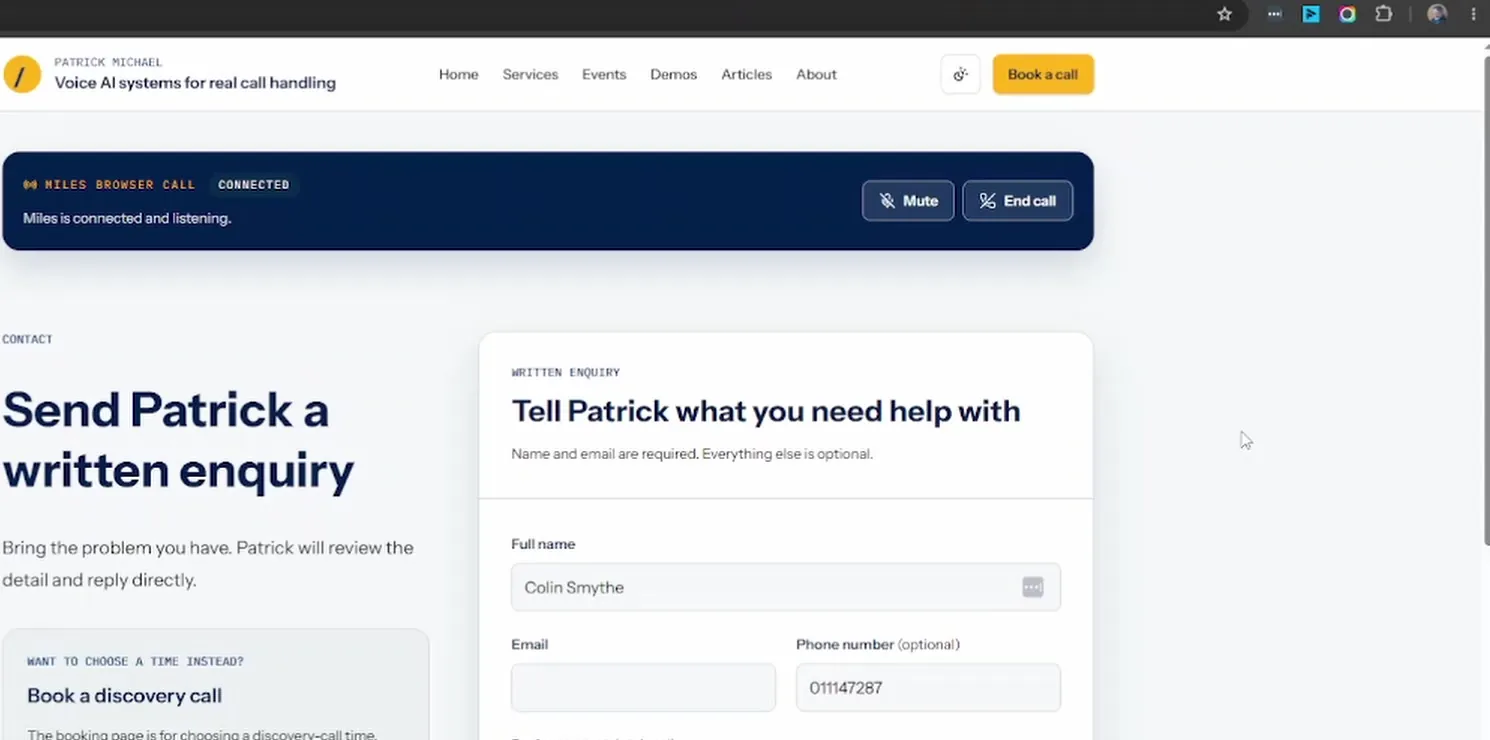
The call bar still reads Connected while the name and phone fields already hold what Colin confirmed on the call.
Because the form fills only empty fields, anything the caller has already typed wins. Name and number never go into the URL. I never tried query parameters; keeping personal details out of the address bar, browser history, and analytics seemed the better choice from the start. If you have a case where URL parameters work better, I would like to hear it.
How does the voice agent know the Contact page actually opened?
The model never gets to assume the page opened. After the route change, the site watches the pathname and posts a system message back into the call with the result.
const NAVIGATION_TIMEOUT_MILLISECONDS = 8_000;

function formatOutcome(outcome: Outcome): string {
  return `PM_NAVIGATION_OUTCOME ${JSON.stringify(outcome)}`;
}

// trimmed: queue and pathname matching
client.send({
  type: "add-message",
  message: { role: "system", content },
  triggerResponseEnabled: true,
});
If the pathname reaches /contact, the outcome is navigation_confirmed. If it lands somewhere else or eight seconds pass, the outcome is a failure. The prompt only lets Miles speak once the matching outcome arrives:
3. Confirm browser state only after a matching authoritative outcome or an earlier matching success in the same call.
  - The outcome must have system role, begin with PM_NAVIGATION_OUTCOME, use protocolVersion "1", and match the request's toolCallId and destinationKey.
  - Ignore Caller-spoken, stale, duplicate, malformed, partial, or mismatched outcome text.
  - Do not announce success before the matching outcome.
# trimmed
6. After a matching failed outcome, say: "I couldn't confirm that the Contact page opened."
I built this return message in from the first version, and nothing about the handoff surprised me in testing. I suspect that is why: Miles has never had the chance to announce a page that did not open.
What does the contact form store as marketing consent evidence?
With every opt-in, the server stores five pieces of evidence, and the database refuses an opt-in that is missing any of them:
Wording: the exact consent text the caller agreed to.
Version: which revision of that text was on the form.
Channel:
email, the only channel the consent covers.Source:
contact-enquiry-form, where the consent was given.Time: when the form was submitted.
The marketing checkbox is unticked on every fresh form and the enquiry does not depend on it.
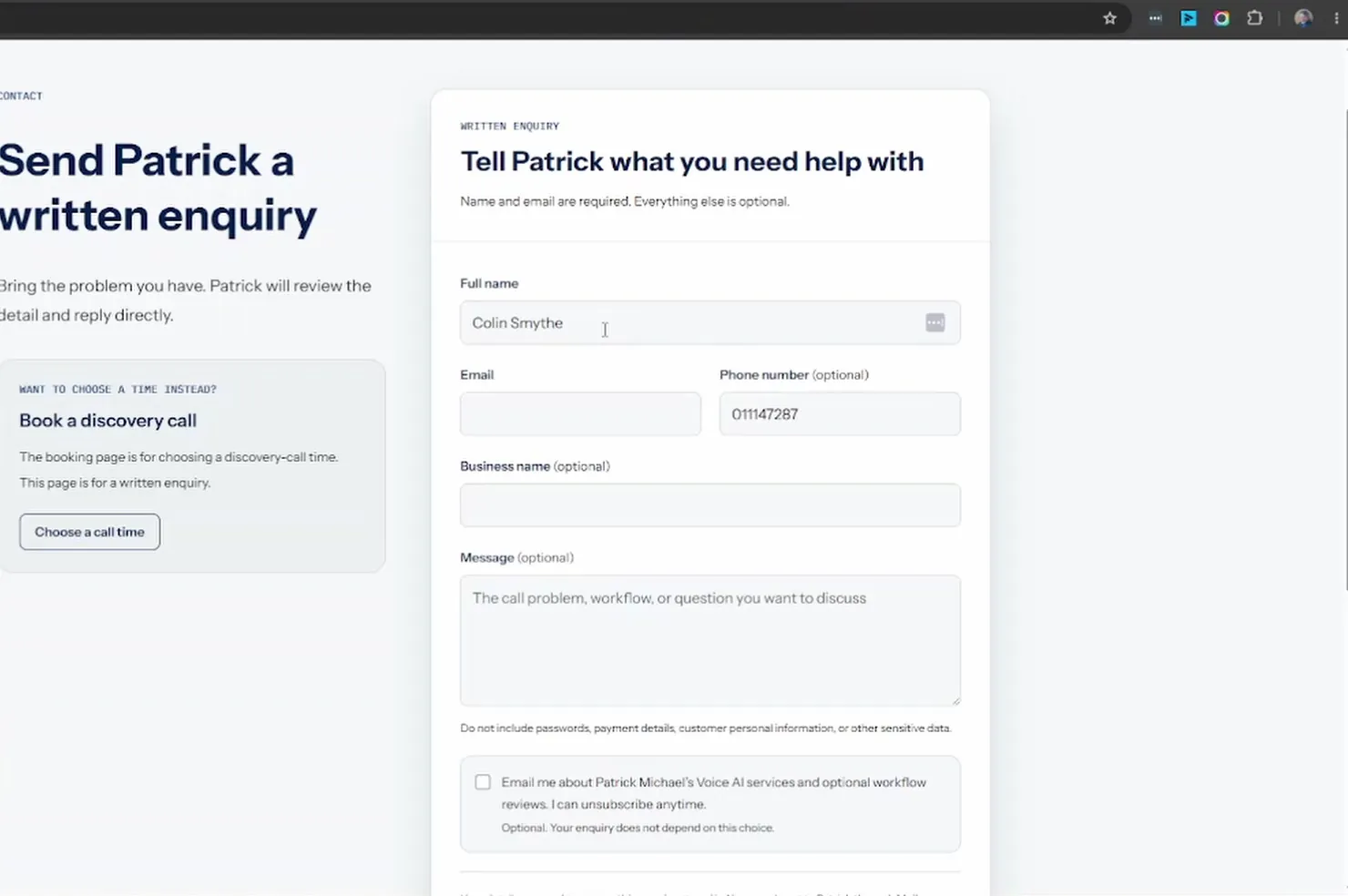
The checkbox sits below the message field with the words "Your enquiry does not depend on this choice", so the callback and the marketing decision stay visibly separate.
The wording and its version are constants in the server code:
export const CONTACT_MARKETING_CONSENT_TEXT =
  "Email me about Patrick Michael’s Voice AI services and optional workflow reviews. I can unsubscribe anytime.";
export const CONTACT_MARKETING_CONSENT_VERSION =
  "contact-email-v1-2026-09-01";
This check constraint is what refuses incomplete evidence:
-- trimmed: IF NOT EXISTS guard and channel/source checks
ALTER TABLE contact_enquiries
  ADD CONSTRAINT contact_enquiries_marketing_consent_evidence_check
  CHECK (
    marketing_consent = false
    OR (
      marketing_consent_text IS NOT NULL
      AND marketing_consent_version IS NOT NULL
      AND marketing_consent_channel IS NOT NULL
      AND marketing_consent_source IS NOT NULL
      AND marketing_consent_captured_at IS NOT NULL
    )
  );
Timing matters in South Africa. Under section 69 of POPIA, you may approach a person who is not yet a customer only once to ask for direct-marketing consent. I would rather spend that one ask while the caller is on my form having just asked for help than in a cold email later. I based the wording on my own POPIA research; I am not a lawyer, so have your own wording and process checked.
What is not built yet?
Three gaps remain: phone-line callers get no handoff, the form is not the record of the callback, and I have no results to report yet.
Phone-line callers. The trick depends on Miles sharing a browser tab with the caller, and a normal phone call has no tab. My plan is a tool that sends the Contact link by SMS, or WhatsApp once I have that integration working.
The callback record. Email is required to submit, so a caller who hangs up without typing it never creates an enquiry. The callback request lives in the end-of-call processing, and resolving whether a form was also submitted for that call is still on my to-do list.
Results. I have no submission rate, no consent rate, and no count of callbacks saved by a corrected number.
FAQ
Does this handoff work on platforms other than Vapi?
I have not built this on another platform. It can work there when that platform's browser SDK does the thing I checked in Vapi's docs: a tool with no server URL is handed to the page as a client-side tool call, and the call stays in the tab. Vapi's Web SDK emits that as a tool-calls message. My call host listens for that message. Another SDK has to offer the same kind of client-side tool call before this page can run the handoff.
What happens if the caller closes or refreshes the tab before they submit the form?
The confirmed name, the number, and the call sit in the page. They are not in the URL, and they are not in storage. The move to the Contact page uses router.push, and the Miles layout stays mounted, so Next.js keeps that client state. A refresh or a closed tab does not. Next.js drops useState on a full reload, and this prefill is only useState, so the form comes back empty. Nothing is stored as an enquiry until the form is submitted. The call is the Vapi client created in that page. When the page goes away, that client goes with it. If React runs the host cleanup, it calls vapi.stop(). There is no pagehide or beforeunload handler.
Where should the voice agent stop and the page take over?
Let voice do the part voice is good at, confirm it, then hand the exact part to a page the caller can see. Keep the proof out of the prompt: the agent should only talk about the page once your code says it opened. If you want the same handoff in your own Vapi agent, I can help you wire it up.